Cursor
Generate images in Cursor
Add Tastepix to Cursor as an MCP server, and the Agent can make the images your code needs — hero and OG images, icons, transparent PNGs, SVG logos — and save them straight into the repo. One click installs it (or one line in mcp.json), you sign in once, and there are no API keys. 12 models, pay per image from €0.03, no subscription.
Free credit for new accounts, no card needed.
my-site
▾ .cursor
mcp.json
rules/
▾ public
▾ images
about.png
▸ src
package.json
.cursor/mcp.json
1{2 "mcpServers": {3 "tastepix": {4 "url": "https://mcp.tastepix.com/mcp"5 }6 }7}
Agent
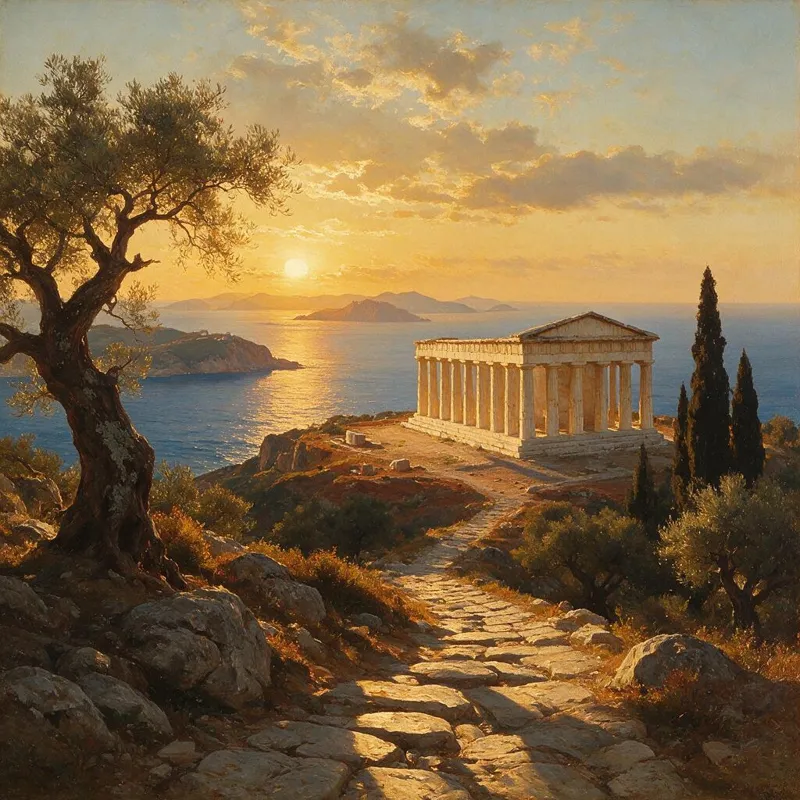
Make a hero image for the about page: a Greek temple above the sea at sunset. Use Nano Banana Pro and save it to public/images/about.png.
Ran generate_imagetastepix
{"prompt": "A Greek temple above the sea at sunset, warm editorial photo","model": "nano-banana-pro"}

Saved to public/images/about.png. Also in your Tastepix gallery.
Step 1 · Add it
One click, or one entry in mcp.json.
Both end up in the same place: a tastepix server in Cursor’s MCP config. Use whichever you like.
A
Add to Cursor
Cursor’s own install link. It opens Cursor with Tastepix already filled in, so there’s nothing to type.

- 1.Click the button. Your browser asks to open Cursor.
- 2.Cursor shows the Tastepix server: click Install.
- 3.Then sign in once (step 2).
If the button doesn’t open Cursor (older or very new builds sometimes miss install links), add it to mcp.json instead.
B
Edit mcp.json
Cursor reads MCP servers from two files. Pick the scope, paste the entry, save. If the file already has servers, add tastepix next to them inside mcpServers.
Global
~/.cursor/mcp.json
Every project on this machine. Best for just you.
Project
.cursor/mcp.json
This repo only. Commit it and your team gets it too.
{"mcpServers": {"tastepix": {"url": "https://mcp.tastepix.com/mcp"}}}
No key, no token: the file holds only the URL, so it’s safe to commit. Each person signs in with their own Tastepix account.
Step 2 · Sign in
Connect once, in the browser.
- Open Cursor’s MCP settings (Customize in the sidebar of current versions). Tastepix is listed and asks you to sign in.
- Click Connect. Your browser opens the Tastepix sign-in page. Sign in with Google or an email code, then click Allow. Cursor handles the OAuth for you.
- Check the tools. Once connected, Tastepix’s tools show as available and the Agent uses them when a prompt calls for an image.
About the approval prompt
Cursor asks before it runs any MCP tool. That’s a good default here: every generate_image call is a paid image. If you’d rather not click each time, allow Tastepix’s tools in Cursor’s run settings.
 tastepixhttps://mcp.tastepix.com/mcp9 tools
- generate_image
- list_models
- remove_background
- upscale_image
- animate_image
- get_video
- show_images
- upload_images
- request_upload
The tools Tastepix gives the Agent: generate and edit, pick a model, cut out, upscale, animate, and upload a local file as a reference.
Step 3 · Ask the Agent
Name the file. The Agent does the rest.
It writes the prompt, picks a model, calls Tastepix and saves the result where you said. Real results below, made through Tastepix.
Hero and OG images
“Make a 16:9 hero for the landing page and a matching Open Graph image for the launch post.”
public/og/launch.pngSeedream 5.0 Pro

App icons
“An app icon for the iOS build: a paper bird, flat, two colours.”
assets/icon.pngRecraft V4.1

Transparent PNGs
“Product photo of a terracotta mug, then remove the background.”
src/assets/mug.pngremove_background

Placeholder product shots
“Five product photos for the seed data: bottles and mugs on stone, soft light.”
seed/products/bottle.webpSeedream 5.0 Pro
SVG logos, not just pictures of logos
Recraft V4.1 Vector draws real vectors. The result carries an svg_url, so the Agent can save an editable .svg next to your components instead of a PNG.
“Make a monogram logo for Acme with Recraft V4.1 Vector and save it as src/assets/logo.svg.”$ curl -sSL "$SVG_URL" -o src/assets/logo.svgThe Agent downloads the svg_url from the result into the path you named.
Tip · Project rules
Teach the Agent your image conventions.
Put a rule in .cursor/rules/ and the Agent follows it whenever a request involves images: where files go, how they’re named, which model makes logos. Rules are .mdc files and live in the repo, so the whole team shares them.
With a description and no alwaysApply, Cursor attaches the rule only when it’s relevant. Prefer one file? The same lines work in AGENTS.md.
---
description: Making images, icons and logos for this repo
alwaysApply: false
---

- Make images with the Tastepix MCP tools; never draw placeholders by hand.
- Save them under public/images/ with kebab-case names, then use the path in code.
- Logos and icons: Recraft V4.1 Vector, and save the svg_url as .svg.
- Transparent PNGs: generate, then call remove_background on the asset_id.
- One generate_image call per asset; ask me before making more than three.
Cursor already makes images
So why add Tastepix?
Since 2.4, Cursor’s Agent has a built-in image tool with one Google model. It’s handy for a quick picture. Tastepix is for when you need more than one.
12 models, your pick
GPT Image, Nano Banana, FLUX, Seedream, Qwen, Recraft and Grok. Name one, or let the Agent choose.
Real SVG
Recraft V4.1 Vector returns vector files you can edit and ship.
Cut out, upscale, animate
Background removal €0.04, upscale 2×/4× €0.08, image-to-video €0.065/s.
One account everywhere
The same balance and gallery in Claude, ChatGPT, Claude Code and Codex.
Models and prices
Picked for the jobs a repo needs.
Prices as of 14 October 2026. VAT included. Source: /pricing.
| Model | In a repo, good for | From |
|---|---|---|
| Recraft V4.1 Vector | SVG logos and icons | €0.16 |
| GPT Image 2.5 Fast | cheap drafts, UI mockups | €0.03 |
| Nano Banana 2.1default | all-rounder, edits from a screenshot | €0.075 |
| Seedream 5.0 Pro | product shots for seed data | €0.09 |
| Qwen Image 3 | text in the image, banners | €0.06 |
| Nano Banana Pro | OG cards with dense text, 4K | €0.265 |
Every model and size, with tool prices, is on the pricing page.
Same account, other apps
Your balance follows you.
Images you make in Cursor sit in the same gallery as the ones from your other apps. Set it up once per app.
- Images in Claude CodeOne command in the terminal.
- Images in ClaudeA connector in Claude, on the web and desktop.
- Images in ChatGPTAn app in ChatGPT, images right in the chat.
- Images in CodexTwo commands in your terminal.
New to Tastepix? See how it works.
Since version 2.4, Cursor’s Agent has a built-in image tool that uses one Google model. Tastepix adds 12 models to choose from, real SVG output with Recraft V4.1 Vector, background removal, upscaling and image-to-video, and the same balance and gallery in Claude, ChatGPT and Codex.
The file in your home folder makes Tastepix available in every project. The one inside a repo applies to that project only, and you can commit it so your team gets it too.
Yes. The entry is just the server URL. Cursor signs each person in with OAuth, so there is no API key in the file, and every teammate pays from their own Tastepix balance.
Open Cursor’s MCP settings and make sure Tastepix is turned on and connected (its tools show as available). Then name it in the prompt: “use Tastepix to make…”. If it still says it needs a login, click Connect again.
By default, yes: Cursor asks for approval before it runs an MCP tool. You can allow Tastepix’s tools in Cursor’s run settings, but each generate_image call is charged, so many developers keep the prompt on.
You pay per image from a prepaid balance, from €0.03 per image, with no subscription. Your first top-up starts at €5 ($10 in USD). Failed generations are refunded automatically, and your balance never expires.
Nano Banana 2.1 by default. Name any model in the prompt (“use Recraft V4.1 Vector”) or add it to a rule so the Agent always picks it for that job.
Turn Tastepix off in Cursor’s MCP settings, or delete the tastepix entry from mcp.json. You can also disconnect the app from Settings on tastepix.com.

Add it to Cursor. Then just ask.
Free credit for new accounts, no card needed.